
EazyType Tamil input Keyboard
 (Android app)
SRC Technosoft Pvt Ltd
417 100K


Screenshots
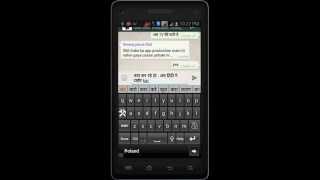


Description
If your are able to read "வாழ்த்துக்கள்" (Tamil text) in your mobile phone, If you can read Tamil text on your phone, you may install this application.
Please see video to know how it works.
Installation.
1. Download and install this application on phone.
2. Open EzyType's Home screen. there are two button on screen (i) Enable Keyboard (ii) Choose default
3. Press 'Enable Keyboard" button and select EazyType Keyboard to enable this keyboard
4. Press "Choose default" button and choose EazyType Keyboard as default keyboard.
OR
2. Go to "Setting"->"Language and Input" and tick in check box on EazyType Tamil
3. Go to any text filed in which you want to type.
4. Drag Notification bar (On the top of Screen of Phone). Tap on "Select input method"
Now Select "EazyType Tamil Free" (On a popup)
OR
Long press on text field and choose "Input Method".
Now Select EazyType Tamil Free (On a popup)
Additional information
Size
7,9 MB
Installations
100 thousand
Reviews
2 thousand
Rating
4
1.00 - Free
