A more recent discount on Pujie Black Watch Face was found.




Screenshots
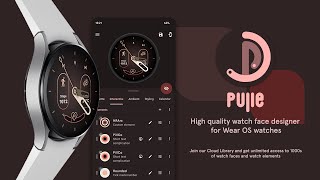


Description
Interactive Watch Face / Launcher
Pujie Black allows you to assign custom actions to a huge number of possible tap targets. The Tap drawer, a panel with 6 tap targets, 4 mini tap targets and all three indicator make up to 13 assignable tap targets! In essence it's a watch face and launcher in one. For all these tap targets you can choose from:
• The Pujie views (Calendar, Fitness, Weather & Tapdrawer)
• Any installed watch or phone app
• Tasker tasks!
• Shortcuts!
• Watch actions (volume up/down, voice search etc)
• Phone actions (play/pause music, volume controls etc)
Design
Design you own watch hands and backgrounds with the included vector drawing tool!
See here for the manual:
https://pujieblack.com/help/watch-part-designer.html
Widget
Even when you don't own a Android Wear smartwatch you can use Pujie Black Watch Face. You can use the same app to create a home screen clock widget! Use the widget selector of your launcher (long press the home screen, or use the widget app drawer) to add a Pujie Black clock widget to your home screen!
Key features
All settings are available using the launcher icon or from the Android Wear companion app.
✔ 20 presets to get you started
✔ Fully animated watch face
✔ Unlimited preset saving
✔ Tasker integration
✔ 5 day weather forecast
✔ Start any watch or phone app
✔ Share your presets with others
✔ Big community of active presetters -> http://goo.gl/ZSQjLO
✔ Works for round and square watches
✔ Google Fit supplied Step counter, biking, running and walking activity tracker
✔ Calendar integration, view your events on a second screen!
✔ Optional analog clock hands (a set of 14 different hand types are available)
✔ Optional digital clock (24 hour or 12 hour, seconds are optional)
✔ Weather indicator, Celsius or Fahrenheit
✔ Phone and watch battery indicators
✔ Multiple time zones
✔ Choose length, thickness and color of the tick marks
✔ Fully animated change from ambient mode to regular mode
✔ Choose to use the full screen, or adjust for the chin of the Moto 360
✔ Choose screen on duration
✔ Move inwards option to account for the burn in protection system on some watches.
✔ And much more
Specific Android Wear options
✔ Short or regular peek cards
✔ Translucent or opaque peek cards
✔ Background visibility of the peek cards
✔ Choose whether the peek cards are visible in ambient mode
✔ Choose hotword (‘Ok Google’) position
✔ Choose statusbar (mute icon, disconnected icon etc..) position
✔ Choose whether you want to show an unread indicator
✔ Indicators respond to peek card position
More Information
http://www.pujiewear.com
Preset Community
http://goo.gl/ZSQjLO
Permissions Explained
http://goo.gl/fSx0CL
FAQ
!! Please contact me if you have any trouble with or any question regarding the app !!
pujiemails@gmail.com
To install the watchface
1. After install run 'Resync app' on Android Wear App.
2. Long press your android wear watch and choose Pujie Black as your watchface, or select the watchface using the Android Wear app.
To activate a widget
1. Long press your home screen or go to the widget section in the app drawer (depends on your launcher)
2. Choose Pujie Black.
3. Design a new style, or choose one of your presets
4. Place and re-size to your liking
Compatible with all Android Wear watches!
