A more recent discount on WiFi Mouse(keyboard trackpad) was found.

WiFi Mouse(keyboard trackpad)
 (Android app)
Necta Apps
413 1M


Screenshots


Description
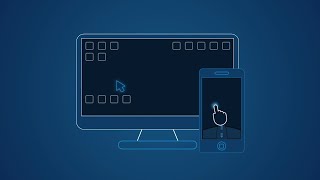
You can relax on the sofa and control playing movie in the comfort of your own home.
What can WiFi Mouse do for you?
➢ Wireless mouse
Support mouse left/right click and scroll, works as remote wireless mouse
➢ Wireless keyboard
Support Android system keyboard and simulate computer keyboard
➢ Wireless trackpad
Support tap for click, two fingers tap for right click, three fingers move for drag and drop,
and more gestures.
➢ Handwriting gestures
Control your windows, media player and presentation with cool gestures.
➢ Computer remote controllers
Control media player, internet explorer, PPT/Keynote, windows, even shutdown your computer.
WiFi Mouse features:
● Mouse movement and click
● Make scrolling
● Android keyboard or simulate full screen computer keyboard
● Voice to text to computer
● Many gestures
Tap,double tap,two fingers slide, three fingers drag and drop, four fingers slide
● Computer applications list and start
● Media controller
Control many media player applications.
● Presentation controller
Control PPT, Keynote
● Shutdown
Shutdown, restart, and logout your computer
● Compatible with Windows/Mac OSX/Linux (Ubuntu).
Notes:
● Please download mouse server and install it from our official website http://wifimouse.necta.us
● Windows system support RDP feature, you can see the video from wifimouse.necta.us. Other systems must be install RDP server.
● Help us to translate APP to your language: http://wifimouse.oneskyapp.com
Facebook
http://fb.com/wifimouse
Additional information
Size
7,2 MB
Installations
1 million
Reviews
45.4 thousand
Rating
4.1
0.99 - 1.99
